What is an Accounting System? Accounting Components, Types and Examples
An accounting system is the set of people, records, procedures and tools a business uses to record financial transactions and prepare reports. It covers how information is collected, checked, classified, stored and reviewed. The records may be maintained on paper, in spreadsheets or in accounting software.
For a business owner, the system should answer practical questions: Who owes us money? Which bills are due? Have we made a profit? Do the balances in our books agree with supporting records?
An invoice is one record within that system. The steps used to approve it, record it, collect payment and check the bank receipt are also part of the system.
Accounting system vs accounting software
Accounting software is the application used to maintain records and produce reports. The accounting system includes that application and the way people use it.
For example, software may allow an employee to enter a supplier bill. The business still needs a rule for checking the bill, identifying who can approve payment and preventing the same invoice from being paid twice.
An accounting information system, or AIS, describes how accounting data is collected, processed and communicated. The term is often used for computerised systems, although the underlying processes can also be manual. [1]
What are the components of an accounting system?
A useful way to examine a business’s system is to follow the responsibilities and records behind each transaction. The table groups these by function; it is not a fixed list of modules that every application must contain.
| Component | What it includes | Practical example |
|---|---|---|
| People and responsibilities | Those who enter, approve and review records | A bookkeeper records a bill; a manager authorises payment |
| Source documents and data | Evidence and details of transactions | Invoices, receipts, bank statements and expense claims |
| Procedures | Instructions for completing accounting tasks | Checking invoice details before posting |
| Records and tools | Journals, ledgers, software and storage | A customer ledger showing invoices and payments |
| Controls | Checks on accuracy, access and authorisation | Reviewing duplicate invoices and changes to bank details |
| Reports | Information prepared from the records | A list of overdue customer balances |
These parts depend on one another. A carefully designed report can still mislead if invoices are missing or expenses have been assigned to the wrong period.
How software organises the records
Within an application, you may see records grouped as masters, transactions and reports. These are useful software terms, although names differ between products.
- Master records hold details used repeatedly, such as customers, suppliers, items and ledger accounts. The chart of accounts lists the accounts used to classify entries.
- Transactions record events such as sales, purchases, receipts, payments and adjustments. Some applications call the entry records vouchers.
- Reports bring those entries together into balances, statements and other views of the business.
A customer’s address is master data. An invoice issued to that customer is a transaction. Their outstanding balance appears in a report.
How an accounting system works
The basic flow is: source document → checked entry → ledger → review and reconciliation → report.
First, the business obtains evidence of a transaction. Someone checks the date, amount, counterparty and purpose, then records it against the appropriate accounts. Entries accumulate in the ledgers, which are reviewed before reports are relied upon.
At a period end, that review may also identify adjustments for unpaid expenses, advance payments or depreciation. Reports should reflect the relevant accounting period, including necessary adjustments. [2]
Double-entry accounting: at least two accounts
Under double-entry accounting, every transaction affects at least two accounts, and total debits must equal total credits. A compound entry can involve several accounts. “Double entry” does not mean that every transaction has exactly two lines. [3]
Nor does a balanced entry prove that it is correct. Posting an expense to the wrong account can leave debits and credits equal while producing misleading reports.
Worked example: an invoice, a part-payment and the reports
Consider an illustrative design business that completes a project and invoices its customer for ₹12,000. The customer later pays ₹7,000 into the business bank account.
The example uses accrual accounting and assumes the service is complete and the full fee has been earned. It excludes GST, TDS, fees and other transactions so that the accounting entries are easy to follow. It is not a tax-invoice template.
1. Record the completed service
| Account | Debit | Credit |
|---|---|---|
| Accounts receivable — customer | ₹12,000 | — |
| Service revenue | — | ₹12,000 |
The business has earned ₹12,000 and has a claim against the customer for the same amount. It has not yet received cash.
2. Record the customer’s part-payment
| Account | Debit | Credit |
|---|---|---|
| Bank | ₹7,000 | — |
| Accounts receivable — customer | — | ₹7,000 |
This entry reduces what the customer owes. It does not record a second sale.
3. Check the resulting records
| Record or report | Effect of these transactions |
|---|---|
| Customer ledger | ₹12,000 invoiced less ₹7,000 received leaves ₹5,000 outstanding |
| Bank ledger | Increases by ₹7,000 |
| Profit and loss statement | Includes ₹12,000 of service revenue; profit also depends on expenses |
| Balance sheet | Shows the remaining ₹5,000 receivable and the increase in bank funds, assuming no further entries |
The owner can now follow up the unpaid ₹5,000 without confusing sales with cash received. If the invoice’s due date has passed, the unpaid amount should appear in the appropriate overdue category.
4. Reconcile the bank receipt
Match the ₹7,000 receipt in the books to the bank statement and allocate it to the correct invoice. If the same payment is recorded twice against this customer, the bank balance will be overstated and the customer’s outstanding balance understated. Match an imported bank transaction to an existing receipt where appropriate instead of creating a duplicate.
Bank reconciliation compares the bank statement with the business’s bank ledger. Differences may arise from timing, bank charges, missing entries or mistakes; they need investigation rather than an unexplained adjustment to force agreement. [4]
What are the different types of accounting systems?
The word “type” can refer to several different things. How records are kept, when income is recognised and where software runs are separate decisions.
Manual and computerised systems
In a manual system, people maintain records and calculate balances using paper books or forms. A computerised system uses electronic tools to perform some or most of that work.
A spreadsheet is an electronic tool, but it relies on the formulas, permissions and checks built into the workbook. An accounting application can automate posting and reporting, while still requiring accurate inputs and review.
Single-entry and double-entry records
Single-entry records typically track selected transactions, often receipts and payments, without a complete set of corresponding debit and credit entries. They may leave gaps when preparing a full picture of assets, liabilities and profit.
Double-entry records use balanced postings across accounts. This supports a structured ledger and preparation of financial statements. Which records a business must maintain depends on its circumstances and applicable requirements.
Cash and accrual accounting
Cash and accrual describe the basis of accounting, rather than a software category.
Under the cash basis, income and expenses are generally recorded when money is received or paid. Under the accrual basis, revenue is recognised when earned and expenses when incurred, rather than solely when cash moves. [5]
In the example above, accrual accounting records ₹12,000 of revenue when the completed service is earned, although only ₹7,000 has been collected. The appropriate basis should be established with the accountant responsible for the business’s reporting.
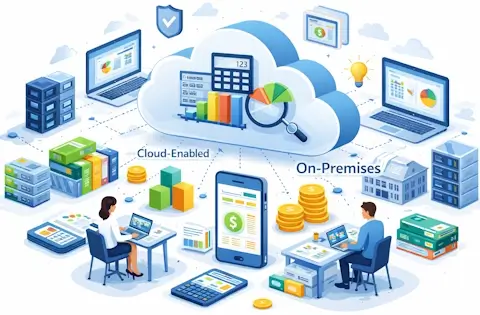
Desktop, cloud and ERP software
| Description | What it tells you |
|---|---|
| Desktop or on-premises | Software is installed on a user’s computer or on the organisation’s own infrastructure |
| Cloud-hosted | The application runs on cloud infrastructure and is accessed over a network; browser access depends on the product |
| SaaS | The provider supplies access to its application on cloud infrastructure and manages that environment |
| ERP | Accounting is integrated with wider business functions, such as purchasing, stock or production |
| Open-source | The software licence provides rights to access, use, modify and redistribute source code under its terms |
These descriptions overlap. An ERP application can be supplied as SaaS. An open-source application can run locally or on hosted infrastructure. Mobile access describes an interface, while AI and integrations describe capabilities. [8] [9] [10] Remote access alone does not make a system cloud-based. [11]
For purchasing decisions, use our accounting software comparison for India or the cloud accounting software guide.
Which reports should an accounting system provide?
The reports required depend on the business, but each should answer a defined question.
| Report | Question it helps answer |
|---|---|
| Profit and loss statement | What revenue and expenses were recognised during the period? |
| Balance sheet | What assets, liabilities and equity exist at the reporting date? |
| Cash flow statement | How did cash and cash equivalents change through operating, investing and financing activities? |
| Receivables ageing | Which customer balances remain unpaid, and how old are they? |
| Payables report | Which supplier bills remain outstanding? |
| Trial balance | What are the ledger balances, and do debit and credit totals agree? |
| Inventory reports, where relevant | What stock is recorded, and how is it valued? |
Financial statements serve different purposes; a bank balance alone does not measure profitability. [6] Management reports may add detail by branch, project or product, provided the underlying entries carry the necessary classifications.
Before acting on a report, check its date range, accounting basis, filters and whether adjustments have been posted.
Controls that make the records more dependable
Internal controls help protect assets and improve the reliability of records. They include responsibilities, approvals and checks, as well as software permissions. [7]
Useful checks to build into a small business workflow include:
- Invoice checks: compare supplier details, invoice numbers and amounts before approving payment.
- Independent approval: separate payment preparation and authorisation where staffing allows. In a small team, arrange an owner review of supporting documents and bank activity.
- Access restrictions: give each person only the permissions their role needs, and remove access when they leave.
- Reconciliation: compare bank, customer, supplier and stock records with supporting evidence as appropriate.
- Change review: investigate alterations to reviewed periods and sensitive master data, including supplier bank details.
- Recovery checks: test whether records and attachments can be restored or exported when needed.
Document who performs each check and what happens when it finds a problem. A control that nobody carries out will not improve the books.
How to set up or improve your accounting system
Start with the work that regularly causes delays or corrections. For one business it may be missing purchase bills; for another, duplicate payment entries or stock figures that do not agree with the accounts.
- List the transactions you need to handle. Include returns, refunds, credit sales, advance payments and other exceptions relevant to your business.
- Agree the account structure. Set up a chart of accounts and any required branch, department or project categories with your accountant.
- Assign responsibilities. Identify who enters records, approves payments, reconciles balances and reviews reports.
- Reconcile opening data. Check opening balances, unpaid invoices and stock records before importing them into a new application.
- Test a complete cycle. Enter a sale, collect payment, process a correction and inspect the resulting ledger and reports.
- Establish a review timetable. Decide when records must be complete, who checks them and how unresolved differences are followed up.
When buying software, ask for the cost of the edition, users, implementation, migration and support you need. Also check how you would retrieve the records if you changed providers.
For an Indian business, list the GST and other reporting tasks applicable to it before evaluating software. Ask the vendor to demonstrate the relevant reports, export formats and filing steps in the quoted edition. A general claim of “GST support” does not explain which tasks are included.
Our small-business accounting software guide covers product choices once those requirements are clear.
Frequently asked questions
Is a billing app enough to run the accounts?
Check whether it also covers the records your business needs beyond sales invoices, such as supplier balances, expenses, bank reconciliation and ledger reports. If it handles only billing, establish how its data reaches the main accounts and who checks the transfer.
Can spreadsheets be used alongside accounting software?
Yes. A spreadsheet can support a budget, calculation or analysis while the main transactions remain in the accounting application. Identify which record is authoritative, control changes to shared workbooks and reconcile any totals transferred between the two. Avoid maintaining competing versions of the same ledger.
When should a business replace its accounting system?
Investigate a change when recurring problems remain unresolved: unsupported workflows, inadequate permissions, unreliable exports or excessive manual corrections. First establish whether the cause is the software, its configuration or the way records are maintained. Replacing software will not fix missing source documents or unclear responsibilities.
Sources and further reading
- OpenStax: Components of an accounting information system — manual and computerised records, inputs, processing and outputs.
- OpenStax: Adjusting entries — period-end adjustments and accrual accounting.
- OpenStax: Accounting principles and double entry — balanced entries affecting at least two accounts.
- OpenStax: Bank reconciliation — comparing bank statements with accounting records.
- OpenStax: Cash versus accrual accounting — differences in recognition timing.
- OpenStax: Financial statements and their relationships — the different purposes of the principal statements.
- OpenStax: Internal controls — controls over assets and accounting information.
- NIST: Software as a Service — the provider and consumer roles in SaaS.
- Open Source Initiative: The Open Source Definition — source-code access and licensing rights.
- Oracle: Accounting and finance in ERP — accounting within an integrated enterprise system.
- NIST: Cloud computing — characteristics of cloud infrastructure and access.
The rupee example is illustrative. The workflow checks are practical suggestions to adapt to the business; they do not describe product testing or a client case study.
Related Resources:
- What is Accounting: Meaning, Types & Why It Matters
- Top 13 Financial Accounting Software for Indian Businesses 2026
- 8 Best Cloud-Based Accounting Packages for Indian SMEs (2026)
- 5 Best Open Source Accounting Software for Small Business 2026
- The 5 Best AI Accounting Software for Small Business
- Top Free Accounting Software Options for India GST
- The CAs Tech Stack: 5 Best Accounting Software for CA Firms in India 2026
- Top 5 Cloud-Enabled Accounting Software in India (Hybrid Tools)