10 Best Cloud ERP Software In India For SMBs 2026
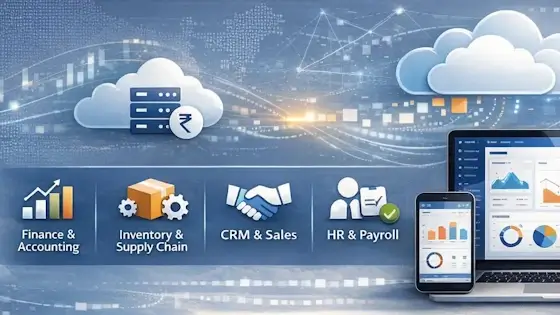
A cloud ERP should connect the work that happens between an order and its payment: purchasing materials, reserving stock, completing production, dispatching goods and recording the accounts. The right choice depends on where those hand-offs are breaking down in your business.
For manufacturing and distribution, ERPNext, Odoo and SAP Business One deserve a look. Business Central is relevant when you need integrated finance and operations within the Microsoft ecosystem. NetSuite OneWorld addresses multi-subsidiary requirements, while Zoho ERP now offers a separate ERP product for Indian businesses.
This guide compares ten options, including specialist manufacturing software. It identifies deployment differences, published subscription terms and the costs that need a written quote. The recommendations are starting points for evaluation, not a ranking of measured product performance.
Research note: Vendor documentation and pricing reviewed on 4 October 2026. This comparison is based on published information, not hands-on testing of all ten products. Our suggested demonstrations and cost example are illustrative.
Disclosure: Some links are affiliate links. We may earn a commission if you purchase through them.
Quick comparison of cloud ERP software in India
| Product | Reason to shortlist | Price or purchasing basis | Main point to resolve |
|---|---|---|---|
| Zoho ERP | Finance and operations in one product | Standard ₹999/user/month annually; minimum 5 users | Employee licences and edition requirements |
| ERPNext | Accounting, stock and manufacturing with open-source control | Software free; hosting and implementation separate | Hosting capacity and ongoing support |
| Odoo | Connected business applications with deployment choices | Standard or Custom subscription; local quote | Custom modules and hosting requirements |
| Business Central | Finance, distribution and Microsoft integration | Essentials ₹6,655; Premium ₹9,150/user/month annually | Premium needed for manufacturing |
| SAP Business One | Purchasing, inventory and production planning | Partner quote for licences, deployment and services | Cloud setup and industry add-ons |
| NetSuite | Multi-subsidiary financial management | Request itemised subscription and implementation quote | OneWorld and India localisation scope |
| TranZact | Manufacturing operations alongside existing accounts | Scale ₹12,500/month, billed yearly | Integration, users and advanced production needs |
| Deskera | ERP with a separate manufacturing offering | Growth displays $199/user/month annually; minimum 5 users | Billing currency, MRP and implementation |
| Focus X | Finance, stock and configurable operational workflows | Request module and implementation quote | Included modules versus separate products |
| Acumatica | Broader staff access without per-seat pricing | Quote based on applications, usage and deployment | India localisation not verified; resource growth affects costs |
Prices are advertised subscription figures, not total project costs. Microsoft lists GST extra. Confirm taxes, currency, user definitions, renewal terms and services in every quote. Official sources appear with the product descriptions below.
What is cloud ERP—and when do you need it?
Cloud ERP is business management software hosted on remote infrastructure. It connects records and processes across functions such as finance, purchasing, inventory and production. The provider or hosting partner operates the infrastructure; your business still needs to maintain accurate records, permissions and working procedures.
An ERP becomes worth evaluating when separate tools cause repeated entry or conflicting information. For example, sales may promise stock that production has already reserved, or accounts may receive a supplier invoice without knowing whether the goods passed inspection.
If the requirement is mainly billing, bank reconciliation and financial reports, an accounting platform may be sufficient. A smaller business can also assess Zoho Books before committing to an ERP implementation.
Three deployment arrangements to distinguish
| Arrangement | What you are buying | Question to ask |
|---|---|---|
| Vendor-operated SaaS | Access to software maintained as an online service | Who controls updates, integrations and data exports? |
| Partner-hosted ERP | ERP licences plus hosting and partner services | Who owns each support responsibility and the backup process? |
| Open-source ERP on managed hosting | Hosting and services around software you can also self-host | Who maintains customisations, security patches and upgrades? |
Remote access to a desktop application does not by itself establish the same operating model as a browser-based service. SAP Business One supports cloud and on-premises deployment, while ERPNext provides managed hosting and self-hosting choices. Those differences affect the contract you need.
The ten products: capabilities and limitations
1. Zoho ERP: a separate ERP product for Indian businesses
Zoho ERP covers financials, supply chain, billing, people operations and spend management. It is a separate product and is not included in Zoho One. Compare its own plans rather than assuming a Zoho One or Zoho Books subscription provides the same system.
The published annual-billing rates are ₹999 per user per month for Standard and ₹2,499 for Premium, with a five-user minimum shown for Standard. The page also lists employee licences separately. Establish which roles need each licence before calculating your budget.
For a manufacturer, the useful demonstration follows material purchasing through production and finished stock into the accounts. Ask which steps require Premium or additional configuration. The pricing FAQ also lists annual transaction allowances, so include expected volume in the discussion.
Buying consideration: Existing use of Zoho apps does not establish how migration or integration will work. Get the proposed data flows documented.
Sources: Zoho ERP overview and ERP plans and pricing.
2. ERPNext: open-source ERP with hosting and implementation choices
ERPNext connects accounting, purchasing, sales, stock and manufacturing. Its documented manufacturing capabilities include material consumption, capacity planning and subcontracting. It is a candidate when you want those processes together and are prepared to manage an implementation.
The software is free and open source. Frappe separates hosting from implementation and offers managed hosting; self-hosting is another option. Free software does not remove the cost of configuration, migration, training or support.
For India-specific work, include the India Compliance app and any service charges in the proposed setup. Ask the implementer to show the complete workflow rather than treating every tax function as an automatic part of a fresh installation.
Buying consideration: Agree who fixes customisations after upgrades. Frappe’s product warranty addresses bugs; it is not the same as ongoing help with your business processes.
Sources: ERPNext capabilities and hosting and implementation options.
3. Odoo: an app suite where the deployment decision matters
Odoo is worth evaluating when several business functions need to share a system and you want a choice between standard configuration and custom development.
The important purchase distinction is between its Standard and Custom plans. Standard uses Odoo Online, which does not support custom modules. Custom provides additional options, and Odoo.sh hosting costs are separate from the application subscription. Do not price a custom-development project using the Standard subscription alone.
Ask the implementer to identify every required app, localisation and third-party module. For production, demonstrate your actual bill of materials and subcontracting steps. For accounting, have your accountant review the intended Indian reporting and submission process.
Buying consideration: Obtain the renewal cost as well as the initial offer, and agree who maintains third-party modules when Odoo versions change.
Sources: Odoo plans and Odoo.sh deployment documentation.
4. Microsoft Dynamics 365 Business Central: check Essentials versus Premium
Business Central combines financial management with purchasing, inventory, sales and operational functions. It is relevant to businesses evaluating a Microsoft-based system, but familiar branding does not eliminate training or implementation work.
The India pricing page lists Essentials at ₹6,655 and Premium at ₹9,150 per user per month, paid yearly, plus GST. Manufacturing and service order management are included in Premium.
Ask the partner to map job roles to licences and demonstrate the Indian localisation, approvals and reporting you require. Include extensions and integrations in the quote.
Buying consideration: Copilot availability does not mean every agent is covered by the base subscription. The pricing page lists separate Copilot Credit requirements for its Sales Order and Payables agents.
Source: Business Central India pricing and feature comparison.
5. SAP Business One: partner-delivered ERP for purchasing and production
SAP Business One covers functions including accounting, purchasing, inventory and sales. Its MRP documentation explains how the system uses demand, stock and supply information to recommend purchasing or production actions.
It supports cloud and on-premises deployment. A proposal should therefore specify the hosting arrangement, user access, backup responsibilities and partner support, rather than simply describing the installation as “cloud SAP.”
For a factory, test a material shortage, a changed delivery date and a partially completed production order. Determine whether standard functionality handles the process or an industry add-on is needed.
Buying consideration: Request an itemised partner quote covering licences, hosting, implementation and add-ons. Record how an add-on will be supported when the core application is upgraded.
Sources: SAP Business One, deployment information and MRP documentation.
6. Oracle NetSuite: multi-subsidiary requirements with OneWorld
NetSuite OneWorld supports multiple subsidiaries operating across currencies and tax jurisdictions within a single account. That makes it relevant when consolidation and legal-entity structure are central requirements.
Oracle publishes separate India help topics covering localisation and tax setup. The implementation proposal should identify the required SuiteApps and configuration, rather than assuming international availability means Indian workflows are ready without setup.
Use a demonstration that includes an intercompany transaction, a local invoice and the resulting consolidated report. Verify which records remain entity-specific and who can access them.
Buying consideration: Obtain a quote identifying OneWorld, users, modules, localisation, integrations and implementation services. A multinational capability can be valuable, but a small single-entity business should establish whether it needs that scope.
Sources: OneWorld overview and India localisation documentation.
7. TranZact: manufacturing operations with accounting connections
TranZact’s current offering focuses on factory operations and advertises connections with existing accounting systems such as Tally. Its pricing page separates a limited free offering from paid inventory and production functionality.
Scale is advertised at ₹12,500 per month, billed yearly, with inventory and production management. Dominate is ₹30,000 per month, billed yearly, and lists additional functions including batch tracking, quality control and machine planning.
For a business retaining its accounting software, the decisive test is a transaction moving between systems. Follow a purchase, its correction and a supplier return through both records. Establish where the authoritative stock and financial balances will sit.
Buying consideration: Confirm user allowances, integration scope, taxes and onboarding costs. The existence of a free plan does not mean the production setup in your demonstration is free.
Sources: TranZact product overview and current plans.
8. Deskera: compare the ERP and MRP scope separately
Deskera’s India site presents ERP covering accounting and operational functions, alongside MRP for in-house and contract manufacturing. Start by establishing which offering matches the process you need to run.
The reviewed pricing page displays Growth from $199 per user per month, billed annually, with a five-user minimum. It explicitly excludes required one-time implementation and setup fees. Obtain an India-specific quote confirming currency and the required ERP or MRP package.
For a distributor, examine lot or serial tracking, warehouse movements and landed costs. For a manufacturer, extend the demonstration to materials, resources and production scheduling.
Buying consideration: Do not infer that every function marketed across Deskera’s product family is included in Growth. Have the vendor name the plan and any additional services needed for your example.
Sources: Deskera India product scope and pricing and setup exclusions.
9. Focus X: configurable finance and operational workflows
Focus X is marketed as a cloud ERP connecting finance, inventory, sales and procurement. Its published modules also describe production planning, quality, warehousing and point-of-sale functions.
Focus Softnet offers separate products such as Focus WMS, MRP and POS. Ask for an itemised list of the modules, products and integrations included in the quote.
For distribution, demonstrate a purchase receipt, a warehouse transfer and a return, then inspect valuation and the accounting entries. A production business should add its own planning and shop-floor requirements.
Buying consideration: Request a written module and implementation quote. Specify whether changes will use configuration or custom code, and who maintains them after upgrades.
Source: Focus X India product and module information.
10. Acumatica: usage-based pricing rather than per-user licences
Acumatica’s pricing model considers applications, expected usage and resources, and deployment preferences. It permits unlimited users rather than pricing each seat individually.
This is worth assessing when many employees need system access. However, more transactions and storage can still increase the required resources and cost. Unlimited users should not be interpreted as a fixed bill regardless of growth.
The pricing source reviewed does not establish support for Indian compliance requirements. Before shortlisting it for an Indian deployment, obtain written confirmation of the localisation, banking connections, implementation partner and support responsibilities. The platform’s general capabilities do not establish that every local requirement is included in a proposed package.
Buying consideration: Request pricing for today’s workload and a realistic growth scenario. Specify transaction volumes, entities, applications and storage in both.
Source: Acumatica pricing model.
How much does cloud ERP actually cost?
Compare the complete first-year project, then calculate the recurring cost separately. A licence quote can look inexpensive while leaving most of the implementation unspecified.
| Cost | What the quote should identify |
|---|---|
| Subscription or licence | Plan, full and limited users, entities, minimum commitment and renewal |
| Hosting and services | Capacity, backups, support coverage and recovery arrangements |
| Implementation | Processes, configuration, deliverables and acceptance criteria |
| Data migration | Masters, opening balances, open orders, stock and historical records |
| Extensions and integrations | Connectors, development, transaction charges and maintenance |
| Training and support | Staff groups, training sessions, response times and post-launch help |
Illustrative calculation: Five full Business Central Premium users at the reviewed India rate cost ₹5,49,000 per year before GST. That is five multiplied by ₹9,150 multiplied by twelve. Partner services, extensions and other charges would be additional. This is a licence calculation, not an implementation quote.
Ask each vendor to price the same scope. Comparing one proposal that includes migration with another that excludes it will give you a misleading result.
Use one business scenario to compare your shortlist
For a small manufacturer, an illustrative demonstration could follow an order for 100 finished units. There is enough stock to make only 70, one supplier delivers late, and five completed units fail inspection.
Ask each vendor to show the material shortage, revised purchase requirement, production status, rejected quantity, partial dispatch and resulting accounts. Include subcontracting if part of the work leaves your factory.
For a distributor, replace production with a warehouse transfer, batch selection, customer return and supplier credit. The goal is to expose the steps that require extra modules, spreadsheets or manual corrections.
Record each requirement as included, configurable, add-on, custom development or unavailable. Keep that record with the proposal. A presentation showing only successful transactions is insufficient evidence of how the system handles your daily exceptions.
What to check about Indian compliance and AI
Separate GST invoice creation, return reports, reconciliation, filing and e-invoice registration. Ask your accountant to review the required outputs and have the vendor demonstrate the selected edition’s complete process, including rejected submissions and corrections.
For AI functions, establish what the feature can read, suggest or change. Check approval controls, activity history, usage charges and availability in your deployment. Ask for the charge associated with each proposed AI workflow.
AI should be evaluated against a defined task. A forecasting demonstration is useful only if you can inspect its input data and compare the output with a known baseline. Our AI accounting software comparison examines related finance workflows.
Frequently asked questions
Can cloud ERP work when the internet is unavailable?
Do not assume offline operation. Some products or connected applications may support selected offline tasks, but browser access generally depends on connectivity. Ask the vendor to demonstrate the exact billing, warehouse or shop-floor task during a disconnection and show what happens when the connection returns.
Is cloud ERP safer than keeping data in the office?
The answer depends on the controls and the people operating them. Check access permissions, multi-factor authentication, backup retention, restoration procedures and incident support. For partner-hosted software, establish which responsibilities belong to the vendor, host, partner and your own staff.
Can we retain Tally while using another system for operations?
Some systems advertise accounting connections, including TranZact. Verify the records exchanged, transfer direction and correction process. Decide where stock and account balances are maintained, then test duplicate prevention and failed transfers before relying on the connection.
Is open-source ERP free to run?
Open-source software can remove a licence charge, but hosting, implementation, training and maintenance still require resources. Compare the cost of keeping a supported production system running, including future upgrades and customisations, rather than comparing licence prices alone.
How long should an ERP implementation take?
The schedule depends on scope, data quality, integrations and staff availability. Request milestones for process agreement, configuration, migration rehearsal, user testing and launch. Agree who accepts each stage and what happens if critical transactions fail during testing.
Choose a shortlist, then prove the fit
Pick two or three products that match your operational requirements and budget. Have the same people from accounts, purchasing, stores and production review each demonstration. Resolve the gaps before signing the implementation agreement.
If you need help defining the scope, our ERP implementation service covers requirements and rollout planning. Bring a few representative orders, stock records and reports so the discussion begins with the work your business needs to complete.